

Dashboard event log
Open Settings → API & Webhook → Webhooks:https://merchants.zbx.boomfi.xyz/dashboard/settings/api-keys?tab=webhooks
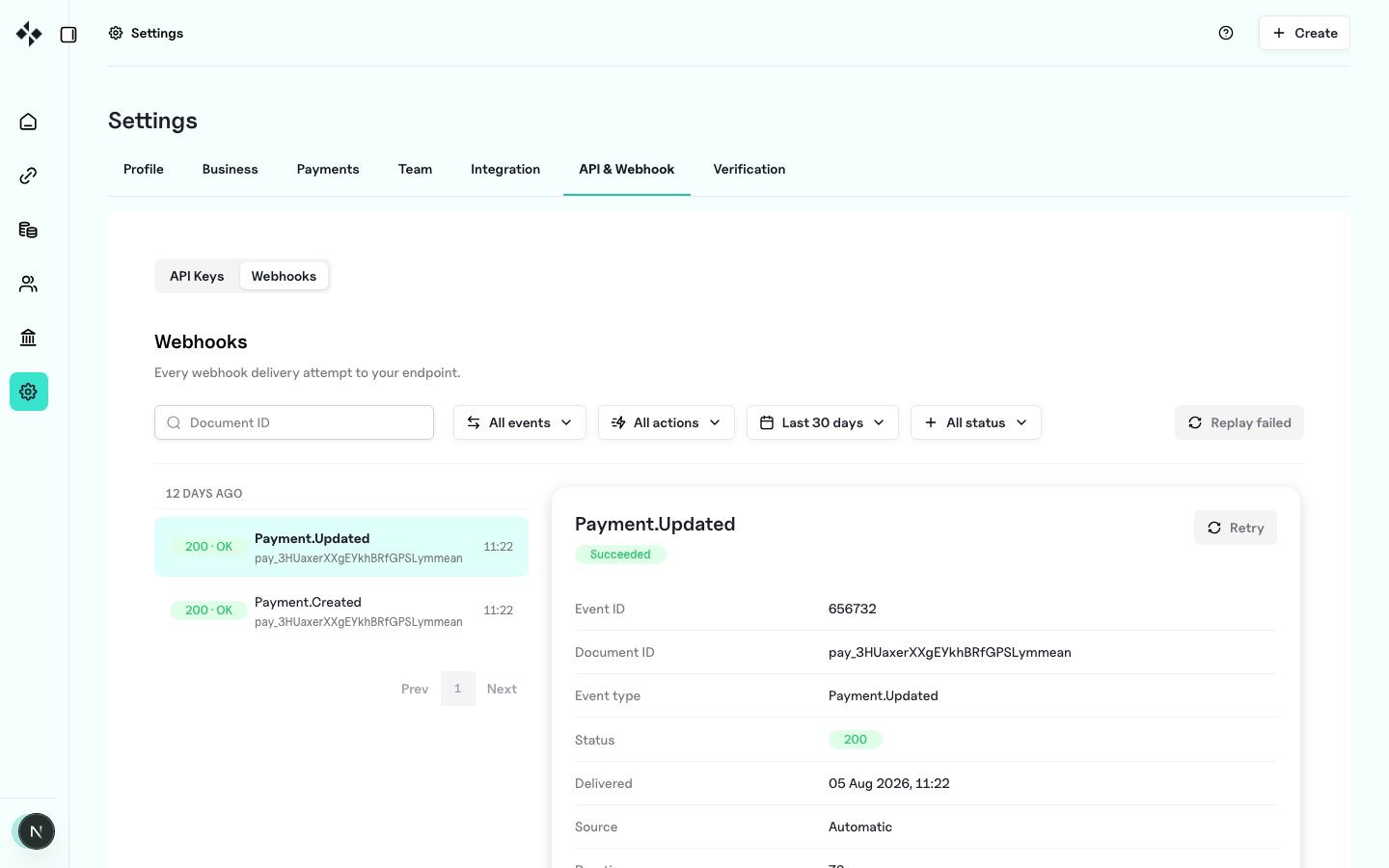
What you can do
Retry cooldown
Manual retries enforce a 60 second cooldown per event. Replaying during cooldown returns rate-limit style errors (HTTP 429) and skips ineligible ids. Queued deliveries poll until attempts complete.Permissions
Viewing the log requires the same permission family as managing API keys (CREATE_VIEW_API_KEY in the merchant app). Ensure ops engineers hold that permission.
What a retry does
Manual redispatch POSTs the stored event document (exact body already processed for delivery) to your current organisation webhook URL, re-signing with your webhook private key and newX-BoomFi-Timestamp / X-BoomFi-Signature headers. A new delivery attempt row is recorded.
List events API
List items include delivery snapshot fields such as
delivery_status, webhook_url, webhook_response_status, and request header dumps when captured (including signature headers).
Retry / replay API paths
OpenAPI exposes event detail, single retry, and replay-failed routes under/events. Use the dashboard for day-to-day ops, or call those routes programmatically with the same eligibility rules (failed latest delivery, not queued, outside cooldown).
Operational runbook
- Alert on failed deliveries or customer reports
- Open the Webhooks tab filtered to
failed - Inspect response status/body
- Fix endpoint (downtime, signature bug, 5xx)
- Retry one event as a smoke test
- Bulk replay remaining failures
- Confirm orders updated idempotently