

- Prefill customer data
- Customer fields a merchant can collect
- Connect a customer (
customer_ident) - Redirect after payment
- Change amount and currency (variants)
- Manage pay links in the dashboard
https://pay.zbx.boomfi.xyz. Below, <PAYLINK_URL> means that full URL (for example https://pay.zbx.boomfi.xyz/<PAYLINK_ID>).
Prefill customer data
Append identity query parameters so the customer does not re-type data you already hold. Checkout always collects name and email. The other parameters apply only when that field is enabled on the paylink (see Customer fields a merchant can collect).
*Required only when the paylink collects that field. Name and email are always collected. An unknown
nationality value, including an alpha-3 code or a country name, is ignored and the customer chooses a country from the list.
nationality is separate from country. country is the address country. nationality is the payer’s nationality, chosen from a country list at checkout. Prefill only accepts alpha-2. On the payment, customer.nationality may be alpha-2 or alpha-3, and the customer record stores alpha-3 (GB is stored as GBR).
Customer fields a merchant can collect
Turn extra fields on in the dashboard under Collect customer information, or setmetadata.customer_fields when you create or update the paylink. Checkout always asks for name and email, whether or not they are in the list.
Allowed values:
address is one value. It turns on the whole address block, not a single line. An unknown value is rejected when you save the paylink.
Connect a customer
Bind the session to a customer id you already store withcustomer_ident:
Redirect after a successful payment
Configure redirects on the paylink with first-classafter_completion when you create or update it (type: redirect, redirect_url for success, optional failure_redirect_url for expiry or Failed). Get and list paylink responses return the same object.
You can also pass redirect_to with a URL-encoded destination. If the pay link itself has no redirect configured, the query value is used.
Skip redirect delay
By default a short countdown (about 10 seconds) runs before redirect. Skip it with:Payment id on redirect
The redirect destination receives apid query parameter with the payment id so you can fetch payment details from the API:
https://mapi.zbx.com/v1 with your API credentials. See the Payments operations in the API reference.
Change amount and currency
Generate a variant URL when the quoted amount or currency must change at send time (top-ups, tips in addition to a base amount, alternate quote currency):- Call the Generate variant URL paylink endpoint (see API reference)
- Pass
amountand/orcurrency - Optionally pass
customer_identandredirect_to
Manage pay links
Open:https://merchants.zbx.boomfi.xyz/dashboard/pay-links
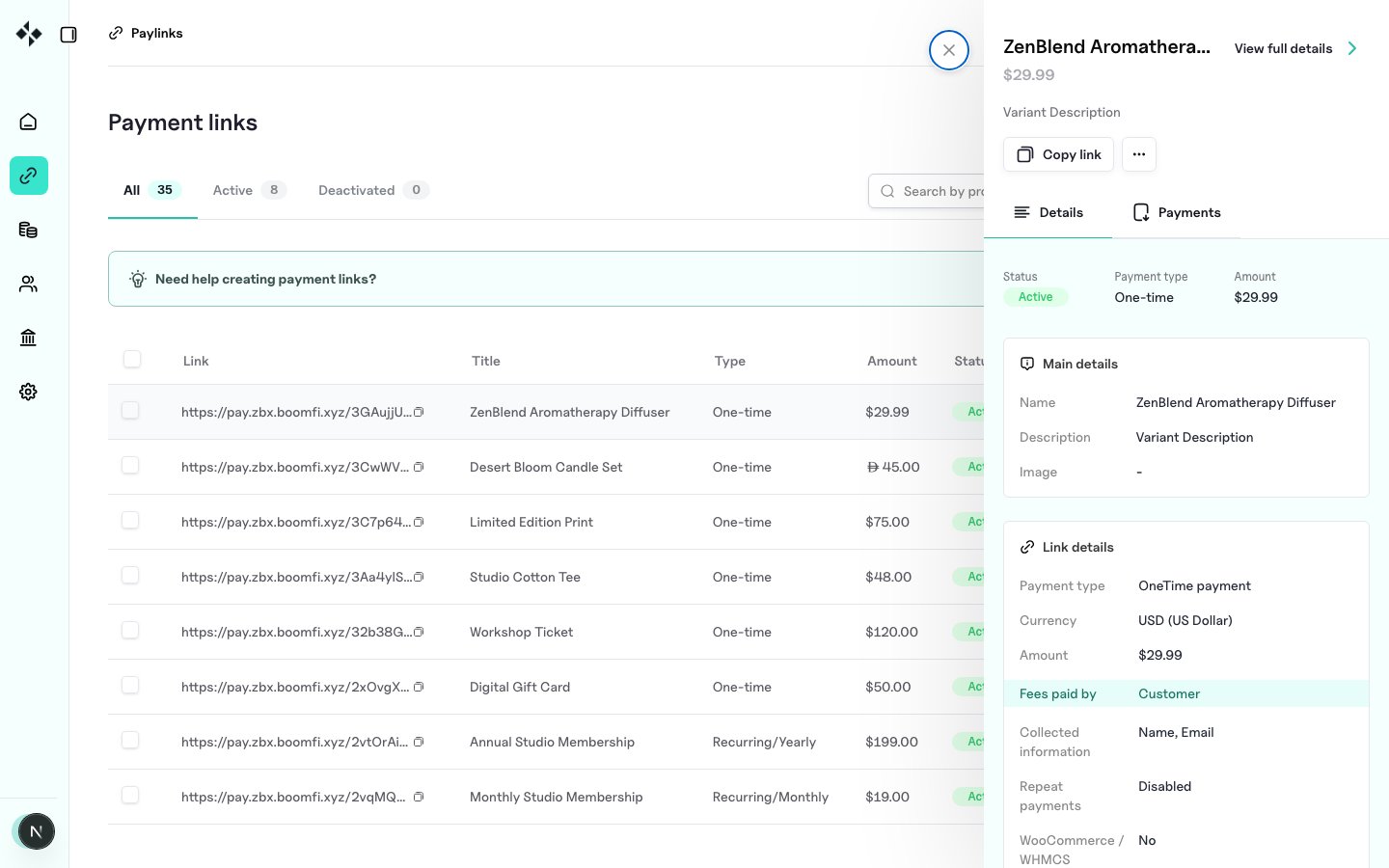
- Inspect main, link, and checkout settings
- Review transactions on that link
- Edit most fields via the overflow menu, or deactivate the link